
- in How-tos , Tips by Jimmie Quick
How to Find the Best Notebooking Printables on the Internet
Every homeschool mom knows the power of the Internet to provide instant, free teaching resources. But those resources are only valuable if you can locate them. The Internet is huge, and finding what you need can be a challenge at times, especially if what you want is a bit obscure or very specific.
Today’s notebooking tips are how I locate the best notebooking printables on the Internet.
Finding Free Notebooking Pages
Search is all about your terms. For finding a notebooking page obviously you need to try the term “notebooking page.” But there are other terms that often provide what you want.
- {topic} notebooking page
- {topic} worksheet
- {topic} poster
- {topic} diagram
- {topic} chart
- {topic} activity
- {topic} printable
- {topic} lapbook
- {topic} template
- {topic} map
Finding PDFs
PDFs always look nicer for printing than a webpage does, so when I search for notebooking resources, I often look for that particular format. Here is how to do that easily.
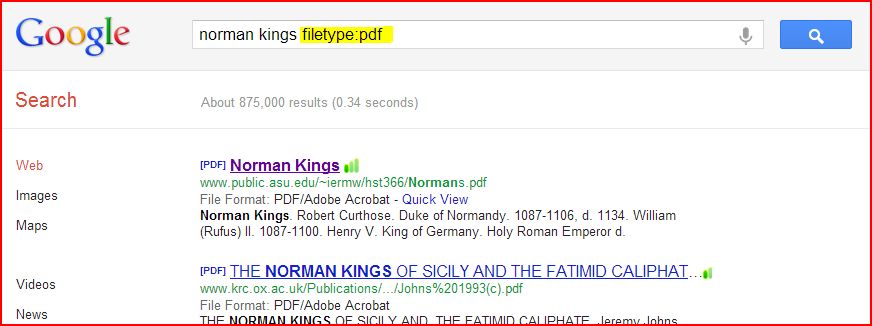
To search for PDFs on Google, add filetype:pdf at the end of your search term. All of the results that you receive will be in PDF format.
To be honest, I never use that method because I don’t ever remember to. Instead I use a few steps to get to that point.
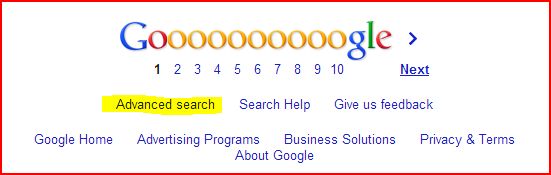
At Google, I scroll all the way down to Advanced Search and click.
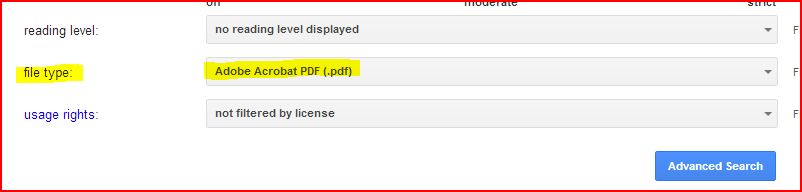
Then I enter my search term at the top and find the drop down menu for file type. Select PDF, and click Advanced Search to begin the search. (Notice you then get the filetype:pdf function in your search box plus a whole list of results.)
I found both of these great family tree diagrams using this exact method:
- Anglo Saxon kings (family tree)
- Norman kings (family tree)
These are to go along with our Heritage History study of British Middle Ages. You can see one of the eBooks on my iPad in the photo below.
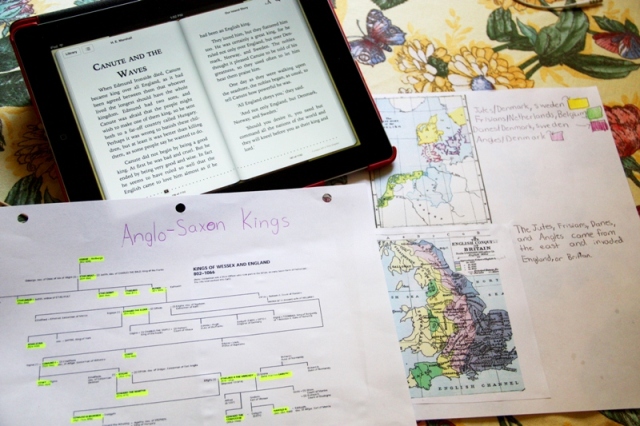
Heritage History studies of British Middle Ages
Visual aids like these family tree diagrams can be printed and put directly into a notebook after some study or notation. In this case, I had my daughter highlight some of the key figures as a review of several chapters from Our Island Story.
Bonus Tip
Combine these two strategies for super search power. So to locate a diagram of the Norman Kings of England, I can search for Norman Kings family tree diagram filetype:PDF.
Do you have any tips for searching for notebooking printables? I’d love to hear them in a comment below.


